PayWeek
A clean product website for a payroll and accounting platform that shows the software at work and leads to a free trial.
The situation
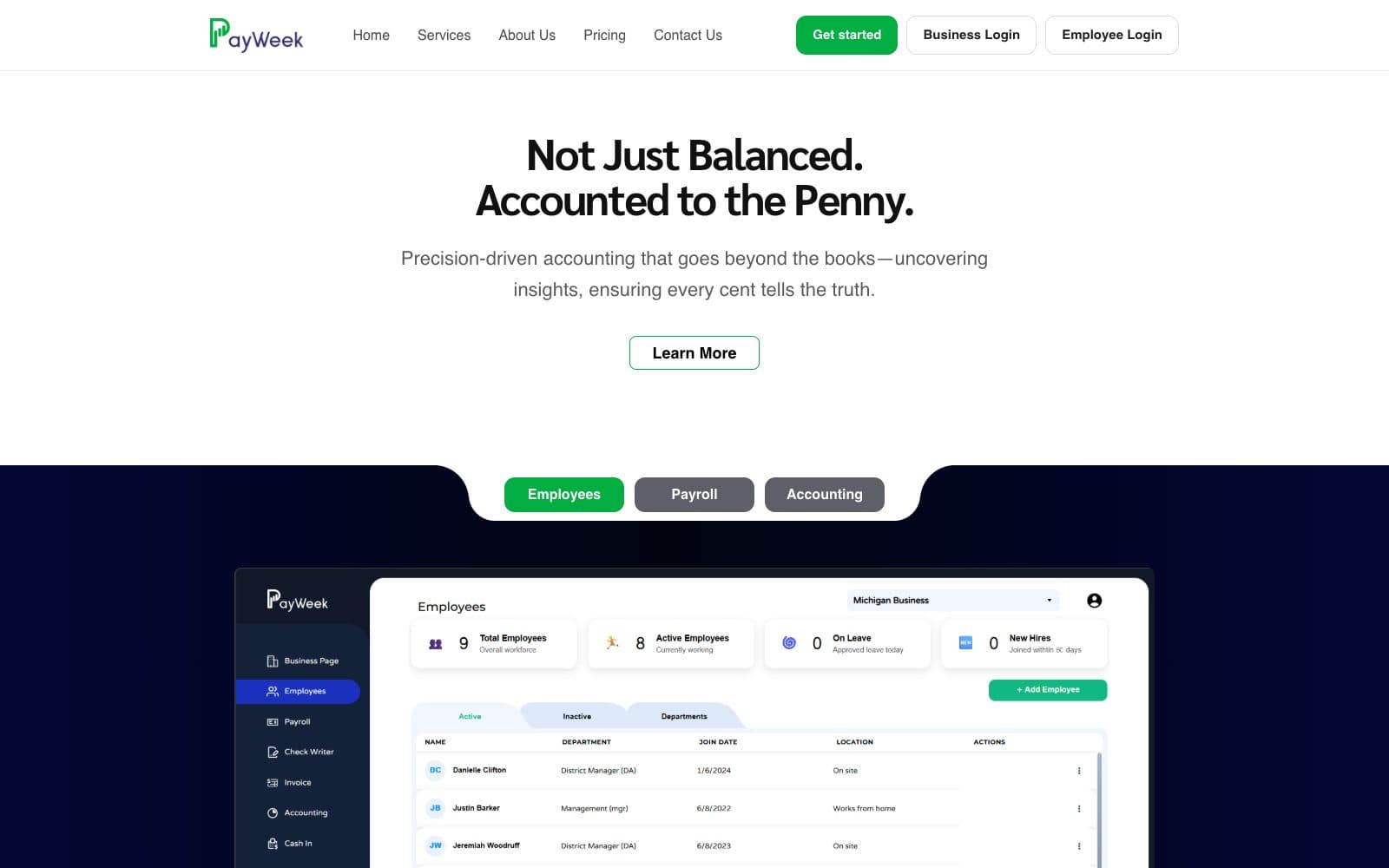
PayWeek is a cloud-based payroll and accounting platform for businesses. Owners comparing software want to see the product itself, understand what it covers and know the price before signing up. The website shows real dashboard views, explains each feature in plain terms and sets out the plans side by side.
What the website has to do
- Show the product itself, not just describe it
- Explain payroll, tax, invoicing, benefits and accounting features clearly
- Set out plans and pricing side by side, with a free trial
- Give businesses and employees separate, obvious ways to log in
Every page has a job.
01
Home
The headline promise, dashboard previews for employees, payroll and accounting, and every feature at a glance.
02
Pricing
Starter, Professional and Enterprise plans side by side, each with a 14-day free trial.
03
Free tools
A breakeven calculator, a labor schedule planner and a desktop accounting app to download.
04
Get started
Registration for new businesses, reached from the header and every plan.
05
Logins
Separate entry points for business owners and for employees.
06
Contact
A short form for questions about the platform, plus terms and privacy pages.
The small things people notice.
- The product, front and centre
- Tabs switch between employee, payroll and accounting dashboards, so visitors see the software before they sign up.
- Features in plain terms
- Each feature gets a short, specific description and a small visual, from tax deductions to check printing.
- Useful before signing up
- Free business tools give owners a reason to visit, and a natural route into the platform.
Next case study
GKR HospitalityReady when you are.
Share a few details about your business and book a 30-minute call. You’ll know exactly what you get and what it costs before you pay anything.
Start with a call
We look you up
Before the call we check how your business shows up on Google and Maps today.
We talk
30 minutes on a call. You’ll know exactly what you get and what it costs.
You decide
If it’s a yes, we email your setup link. If it isn’t, that’s genuinely fine.
Good to know
- Plan
- $75 a month, from your first payment
- You pay
- Only if you decide to go ahead after the call
- hello@fynix.digital